
Use the results of 50+ built-in indicators of Quantower in your strategies and indicators
General
During development of your own indicators or strategy, you may require using some standard indicators, for example Moving Averages. You don't need to write any code for this, as Quantower trading platform provides you a wide set of predefined indicators. At the moment there are about 50 built-in indicators, among them:
EMA
ADX
Keltner
ROC
RSI
KAMA
AROON
and many others
Access built-in indicators
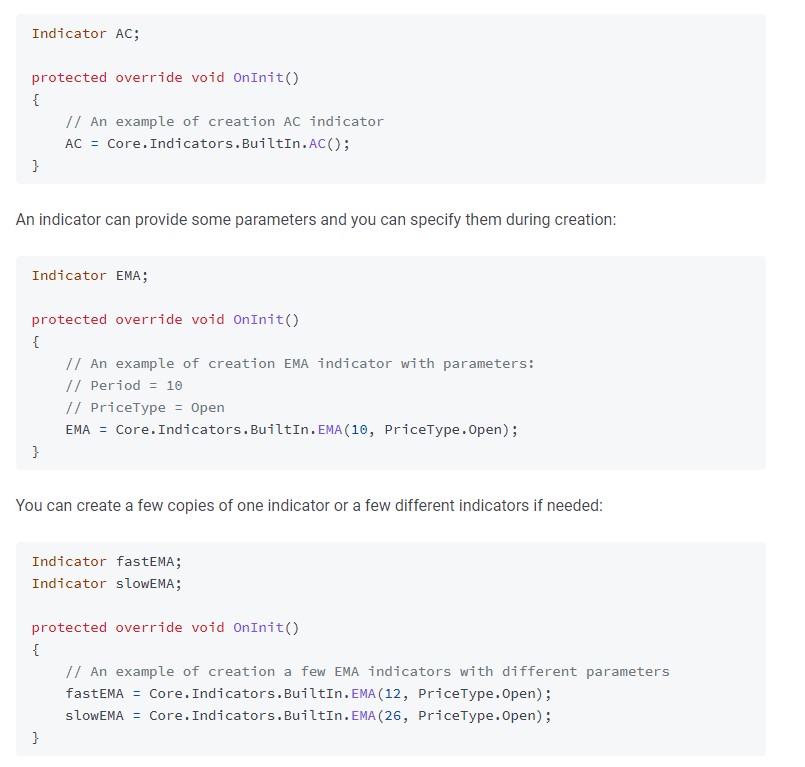
You can access built-in indicators using Core.Indicators.BuiltIn class. A good place to initiate such indicators is in an OnInit method of your script:
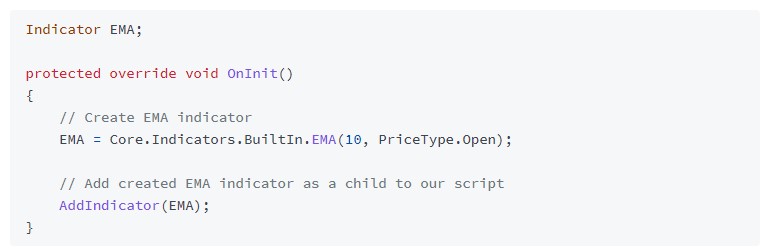
Now we need to assign the created indicator to our current script — which means it will use symbol and quotes from its parent. You can do this via AddIndicator method:
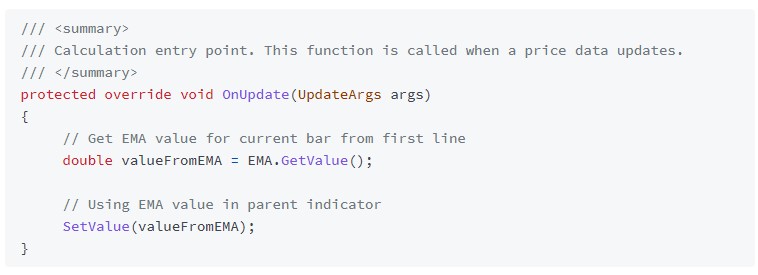
Everything is ready to use this indicator in our calculations. After receiving new quotes it will be calculated automatically. You can access its values via GetValue method:
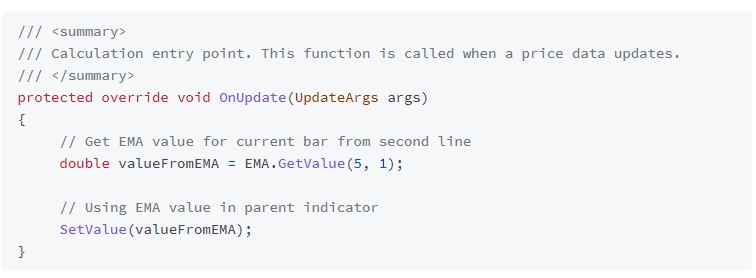
In case you need to access value for previous bars or value from other indicators line you can use the offset and a lineIndex parameter of a GetValue method:
This is a total source code of our example. We use two EMA indicators with different period and display their difference on the chart:
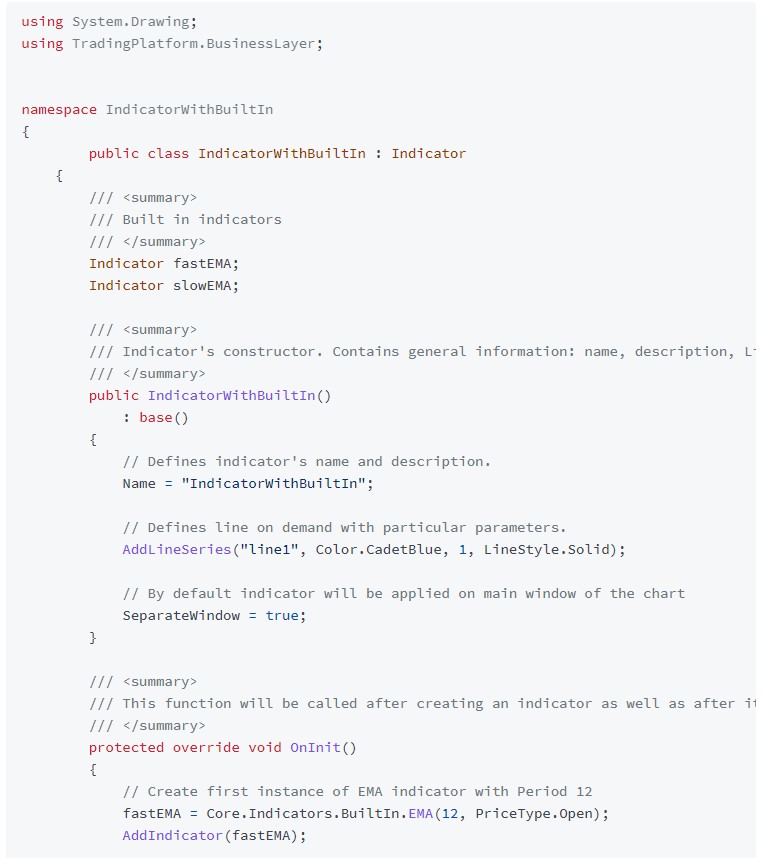
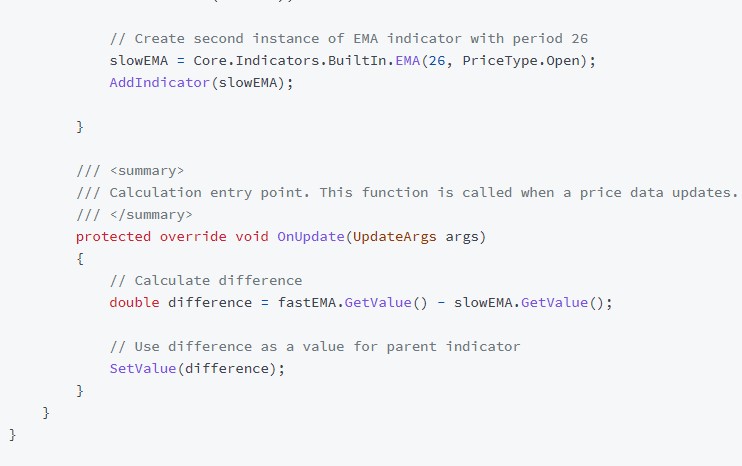
And a result of this indicator on the chart:
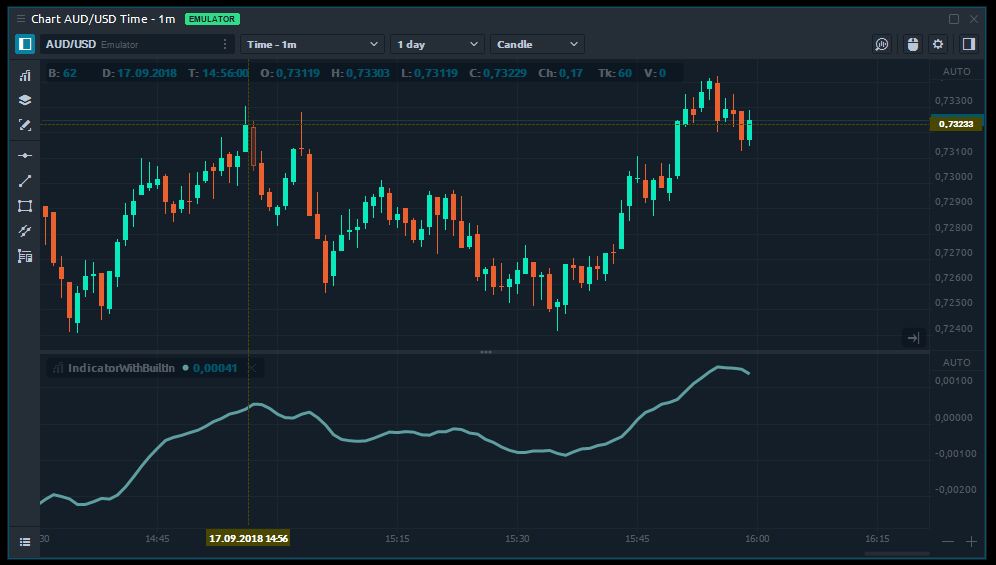
As you can see it was not really difficult to create this indicator. Before starting writing your own code, check first, maybe the required calculations are already available in a built-in set. Quantower team is constantly working on adding new built-in indicators. If you have any ideas and proposals, what we should add — feel free to contact us.